Home › Insights › Data recovery
Story · Data recovery · By mail
Twenty-three years of photographs on one locked drive. The bigger shops had given up on it.
Short version: a woman in Southern California had a PC that froze and never came back. Inside it was a drive holding twenty-three years of photographs and documents, and the drive was password-locked at the firmware level, tied to that machine. To any other computer it looked like a drive that refused to talk, and the larger data-recovery companies she tried had worked on it and stopped. She mailed the drive to us in Massachusetts. We unlocked it, read it on our bench, and within a few hours had every file copied to a new drive: zero read errors across a full terabyte. Both drives went back to her.
How she found us
Not through this website. She had been bidding on a hard drive we had listed on eBay, hoping to fix the problem herself, and she did not win it. We reached out anyway and asked what was wrong with the PC she was trying to fix.
The answer was the familiar one. The machine had started freezing, then it would not come back at all. On the drive inside it: twenty-three years of photographs, scans and documents, carried forward from computer to computer until the last one quit. The drive itself was a WD Blue 1 TB SSD, fitted about six years earlier to replace the PC’s original spinning drive. The files on it went back far further than the drive.
What the bigger shops had done
Before eBay she had gone where most people go first: the large recovery companies, the ones with the national ads. They tried. Then they gave up, and she was left with the same drive and the same problem.
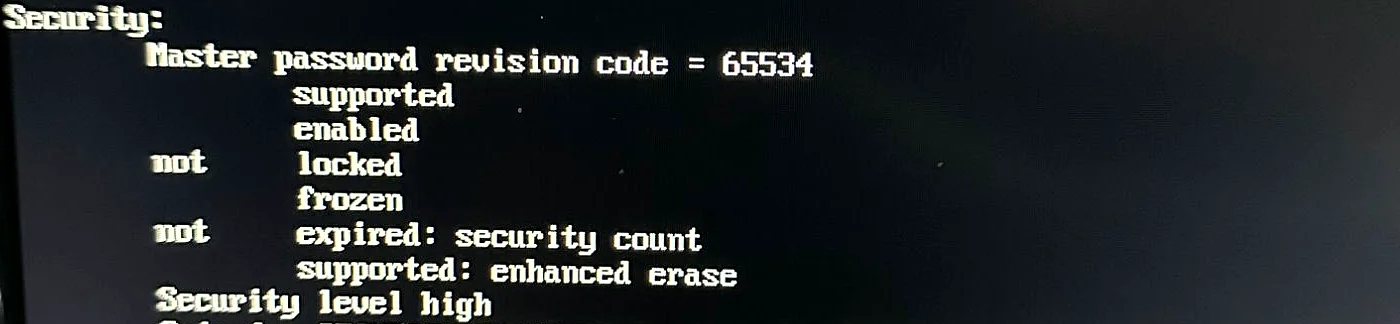
What none of them got past was the lock. The drive carried a firmware-level security password, the kind a computer sets and ties to its own BIOS, with the security level set to high and more than one lock in place. A drive in that state is not damaged. It is a locked door: it refuses to answer until it hears the right password, and to any tool that does not know that, it looks dead or empty. That is where the trail went cold.
It is also why the data survived. A lock is not a fire. Nothing had been written to the drive, nothing reinstalled over it, nothing repaired into it. Data is rarely destroyed by the failure itself; it is destroyed by what people do afterward, the reinstall of Windows that overwrites the files, the repair utility that rewrites the disk, the machine powered on again and again. A locked drive that has simply been set aside is a drive that can still be read once the door is open.
Why we asked for the drive, not the computer
A frozen PC is a machine around a drive. The power supply, the board, the copy of Windows on it, any of those can fail in a way that looks like the drive is dead when it is not. So we did not want the computer. We wanted the drive, on our own bench, on hardware we knew was good.
Through a USB adapter, the locked drive reported itself as zero bytes, no medium present, which is exactly the kind of thing that makes people give up.
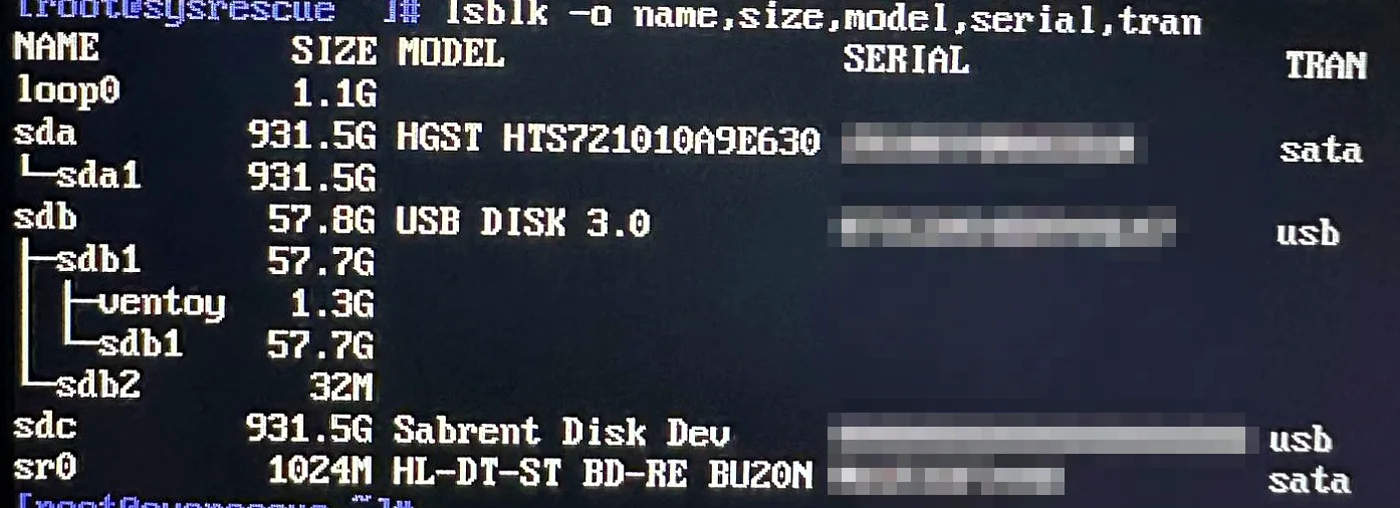
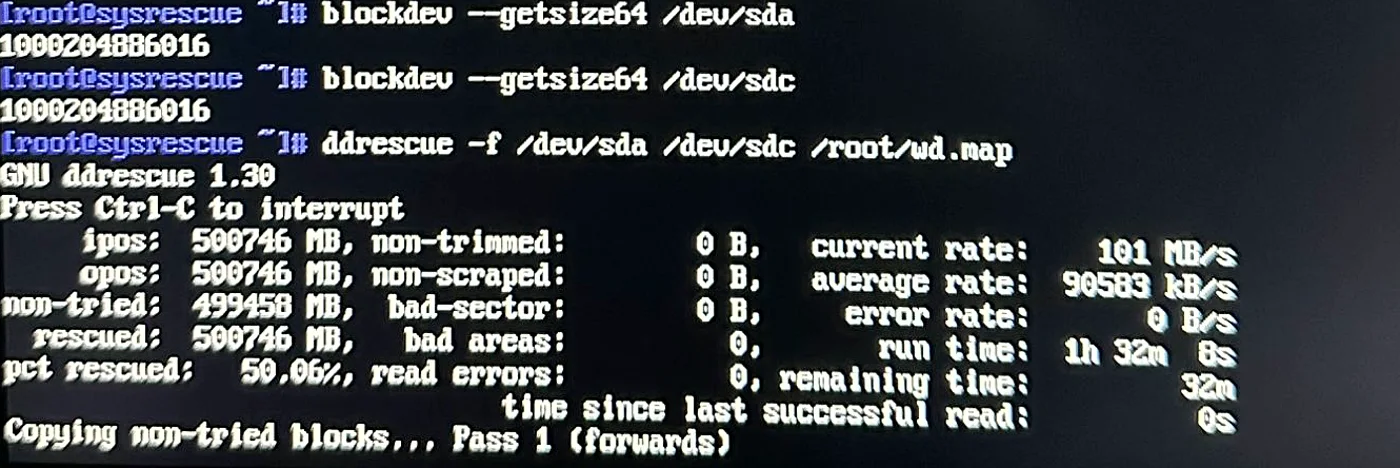
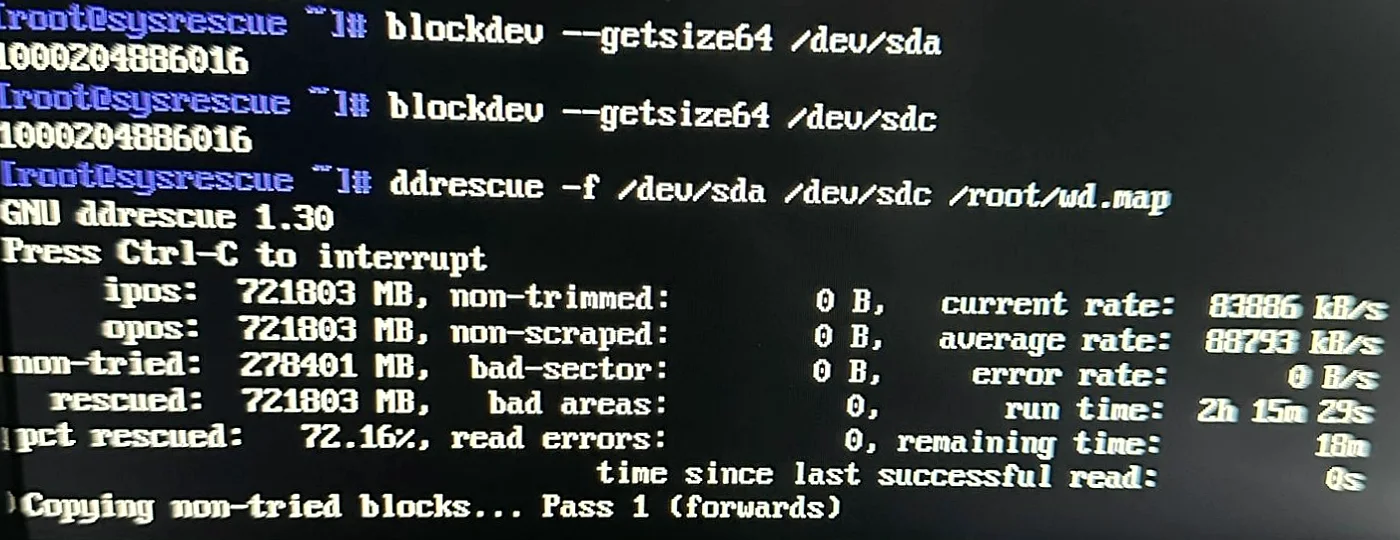
Then the lock. Unlocking a drive’s security does not touch the data on it; it only opens the door. With the door open, the method is deliberately boring. Read it on equipment that only reads. Copy everything to a fresh drive first, before anyone tries to fix anything, so there is a safe copy no matter what happens next. Only then look at what is there. In her case, a few hours after the package arrived, every folder was open and every photograph was where she had left it.
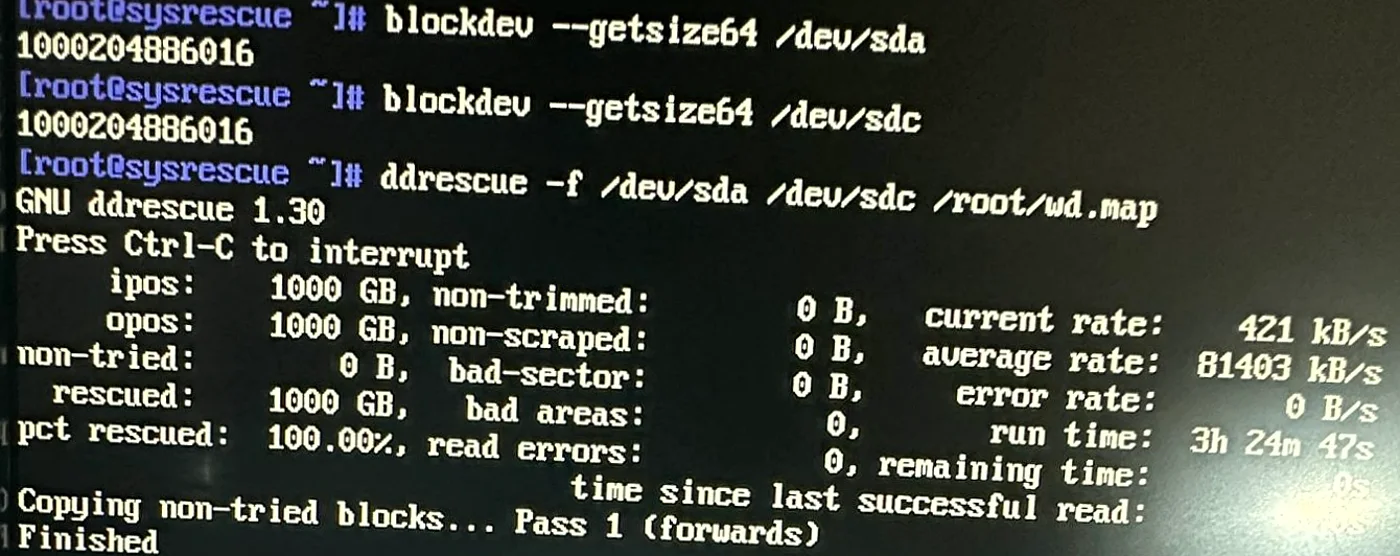
Twenty-three years, back in a box
Twenty-three years of files is two or three computers’ worth of a life: the photographs from cameras that no longer exist, the paperwork scanned once and never thought about again, the folders with names only their owner understands. All of it went onto a new drive. The old drive went back in the same box, untouched, because it was hers and because a second copy never hurts.
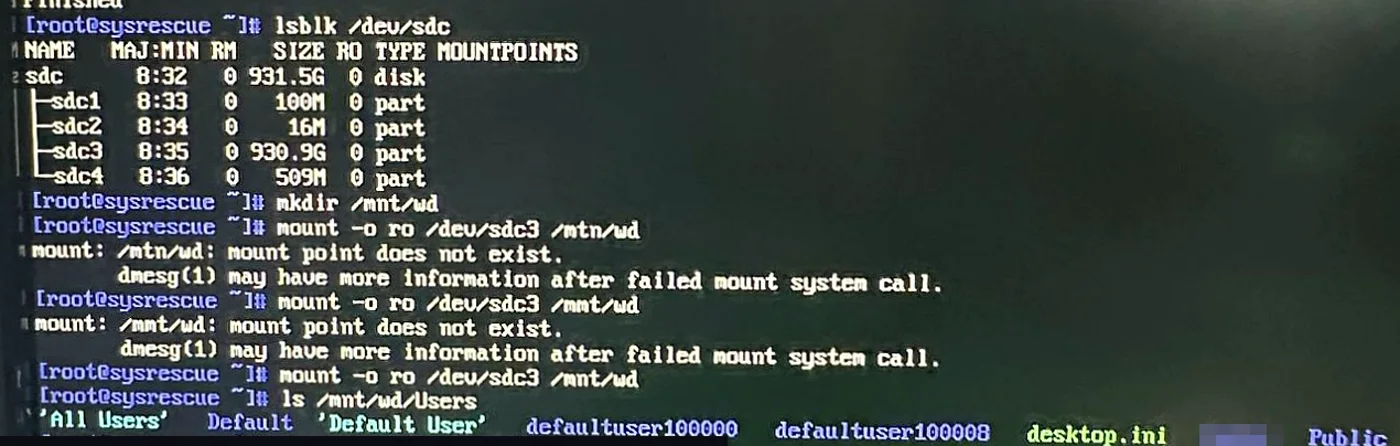
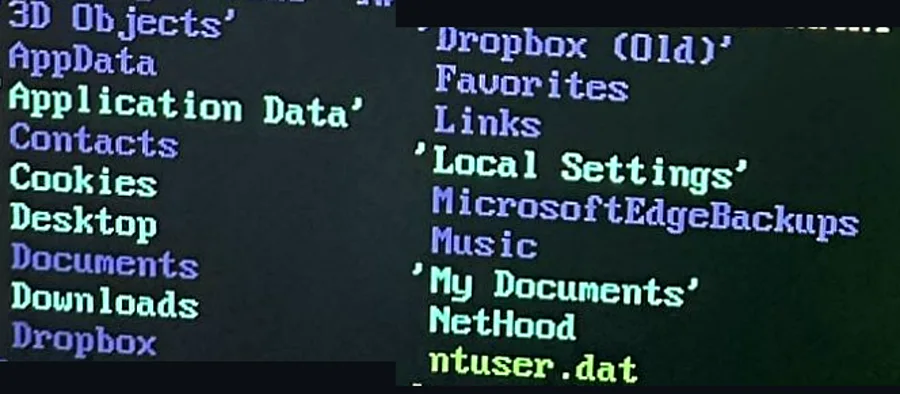
Her PC was old enough that repairing it made no sense, so we offered a used machine, restored and set up with her files already on it. That is usually the better end to this story than a repair bill for a computer past its time.
What we did not do
We did not open the drive, and we did not need a lab. Every byte came across with zero read errors: a healthy drive whose only problem was a lock. When the fault is physical, a failed head on a spinning drive or a dead controller on a solid-state one, the job needs a clean-room lab and specialist equipment, and no amount of confidence on a workbench changes that. We would have said so before she shipped anything, and pointed her to a lab rather than pretending. Part of doing this honestly is knowing which kind of problem you are holding.
If you have a drive like this
Stop using it. Every power-on of a failing drive is a risk. Take it out of the machine or leave the machine off.
Do not let anyone try things on the original. Ask any shop one question: do you copy the drive before you work on it? If the answer is vague, so is their method.
Locked is not lost. A drive that refuses to answer because of a firmware password is a different problem from a drive that has failed, and it deserves a different answer than a shrug. Ask what the shop actually found before you accept that the files are gone.
Then never be here again. The photographs on one drive in one machine are one failure from gone. A second copy somewhere else, anything at all, turns a story like this one into a non-event. That is the whole of backup advice, and it is the part nobody follows until the drive stops.
Knowledge Designs (Greg Pagliarulo) is absolutely amazing. … he offered to take a look at my hard drive at no charge. … shipped my hard drive all the way to MA from CA. After a few hours, he was able to see all of my data. I was so elated. He copied all my files, & pics, etc., and he has shipped it back to me. … Greg is so knowledgeable and is so kind. I highly recommend him and Knowledge Designs. Thank you Greg. You’re a lifesaver.
How to send us a drive
It works the same from anywhere in the US or Canada. Tell us what happened and what is on the drive. We send packing instructions, you ship it tracked, and we read it on our bench and tell you what we found before anything else happens. The full sequence, and the honest limits, are on our remote support page.